
One of the greatest strengths of OpenSim is that you do not need to rent a region from someone else to become part of a thriving virtual world. Instead, you can host your own simulator on your own computer or server, giving you complete control over your land, backups, updates and performance while still connecting your region to an existing grid. This combines the freedom of self-hosting with the benefits of being part of a larger community where residents can easily visit your region.
There are two main ways of hosting your own region. The first is to create an entire standalone grid where you control everything, including user accounts, inventories and multiple regions. The second, and often simpler, approach is to run your own simulator while connecting it to an existing grid. In this arrangement the grid provides the login servers, inventory services and asset databases, while your computer simply hosts the region itself.
For many newcomers, Outworldz DreamGrid has become the easiest way to get started. DreamGrid automates much of the installation process and provides a graphical interface for creating, managing and backing up regions. Rather than editing numerous configuration files manually, you can create new regions, change their size, position them on the map and configure most settings using the built-in management tools. DreamGrid also includes Hypergrid support, automatic backups, region management utilities, multiple physics engines, and a large library of free OAR files that can be installed with only a few clicks.
The DreamGrid installer, downloads and documentation are available from:
https://outworldz.com/Outworldz_installer
Additional downloads, updates and the comprehensive DreamGrid Manual can be found at:
https://outworldz.com/outworldz_installer/Grid
If your goal is to run your own independent virtual world, DreamGrid can operate as a complete OpenSim grid with its own Robust services, user accounts and inventory database. However, it can also be configured as a Region Server that connects directly to an existing grid. This flexibility allows you to begin with a single hosted region and later expand into your own complete grid if you choose.
Connecting your own region to an established grid follows much the same process regardless of which community you choose. After installing OpenSim or DreamGrid, you configure your simulator to use the grid’s login and Robust services rather than your own. During setup you create your region, assign it a unique name, choose an unused map location and specify the network ports your simulator will use. If you are hosting from home, you must also configure your router to forward the required ports so that other residents can connect to your simulator successfully.
DreamGrid provides an excellent guide explaining how to configure your simulator as a Region Server and attach it to another grid. That documentation can be found here:
https://outworldz.com/Outworldz_installer/Help/ServerType.htm
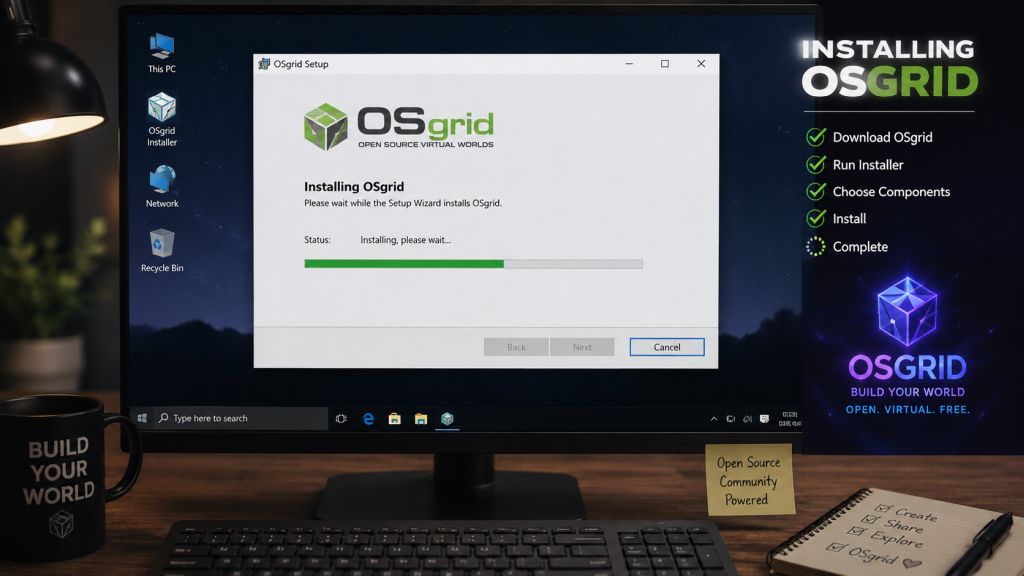
OSgrid has supported self-hosted regions for many years and remains one of the largest OpenSim communities. DreamGrid even includes a dedicated OSgrid Region Server option, making the connection process largely automatic. After selecting an unused location on the OSgrid map and completing the configuration, your simulator becomes part of the OSgrid world while remaining physically hosted on your own computer.
Further information about OSgrid is available from:
Neverworld actively encourages residents to self-host their own regions. The grid provides a pre-configured OpenSim Region Server together with detailed instructions explaining how to configure ports, edit the OpenSim configuration files, select an unused region location and connect your simulator to the Neverworld grid. Once connected, your region behaves exactly like any other region on the grid while remaining under your complete control.
Neverworld has also developed ORBIT, a web-based management dashboard that allows region owners to monitor the online status of their regions, request restarts, upload OAR backups and download region archives directly through a web browser, making day-to-day administration much easier.
The official Neverworld resources are:
https://neverworldgrid.wixsite.com/neverworldgrid/about-5
ZetaWorlds also allows residents to host their own simulators on the grid. The official self-hosting guide provides pre-configured binaries together with step-by-step instructions covering installation, network configuration, choosing available map coordinates, configuring internal and external IP addresses, opening firewall and router ports, and upgrading your simulator in the future. The guide also explains the grid’s self-hosting policies and requirements for connecting successfully.
The official ZetaWorlds self-hosting guide is available at:
https://zetaworlds.com/host-your-own
Although the exact procedure varies slightly from one grid to another, the overall process remains very similar. You install the simulator software, configure your region details, select an unused position on the grid map, open the required network ports and start the simulator. Once connected successfully, your region immediately becomes accessible to every resident on that grid while you continue to retain complete control over your builds, scripts and region settings.
Hosting your own region offers several significant advantages over renting land. You are free to perform your own backups using OAR and IAR files, install simulator updates whenever you choose, customise configuration settings and decide exactly how much hardware you dedicate to your region. Many region owners also appreciate the flexibility of moving their regions between different grids should they ever decide to change communities.
Modern computers are more than capable of hosting one or several OpenSim regions. A reasonably powerful desktop or laptop with a modern multi-core processor, at least 16 GB of RAM and a solid-state drive is sufficient for many personal projects. Larger communities or multiple regions may benefit from dedicated servers or cloud hosting, but many successful OpenSim regions continue to operate perfectly well from home internet connections with correctly configured networking.
Perhaps the greatest attraction of self-hosting is the freedom it provides. You own your region, manage your own content and determine exactly how your virtual environment develops, while still enjoying the events, visitors and community that established grids provide. Whether you choose OSgrid, Neverworld, ZetaWorlds or another OpenSim community, hosting your own region offers an excellent balance between complete independence and being part of a wider virtual world.









Leave a Reply