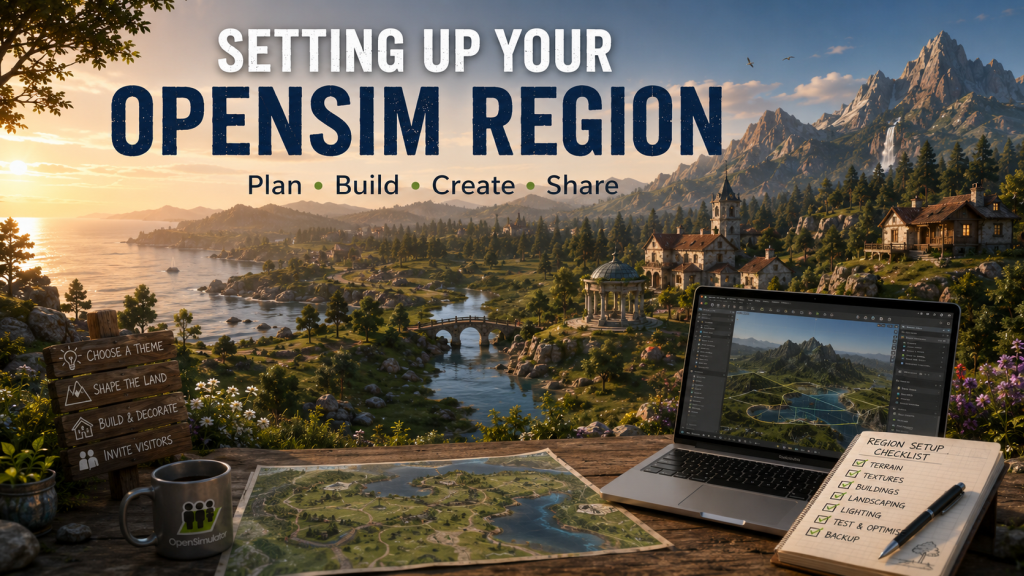
Creating your own OpenSim region is one of the most rewarding aspects of the OpenSimulator platform. Unlike many commercial virtual worlds, OpenSim gives region owners complete control over their land, allowing them to design, build and customise every aspect of the environment. Whether your goal is to create a private retreat, a roleplay community, a shopping destination or an educational space, setting up your region correctly from the beginning will make future development much easier.
The first decision is choosing where your region will be hosted. Many people rent regions from established OpenSim grids, while others choose to run their own simulator on a home computer or dedicated server. Each approach has its advantages, but regardless of where your region is hosted, the creative process remains largely the same.
Before placing your first object, it is worth spending time planning your region. Consider its overall purpose, theme and atmosphere. A modern city requires a very different layout from a medieval village or tropical island. Sketching a rough plan of roads, buildings, parks and landmarks can save many hours of rebuilding later and helps create a more natural environment.
The terrain forms the foundation of every region. OpenSim includes terrain editing tools that allow you to raise mountains, create valleys, sculpt beaches and dig lakes or rivers. Gentle changes in elevation often produce a more realistic landscape than perfectly flat terrain. Adding suitable terrain textures for grass, sand, rock and soil helps define different areas and enhances the overall appearance.
Once the landscape has been created, buildings and structures can be added. Some creators build entirely from primitive shapes, while others use mesh models created in applications such as Blender or generated using AI tools before being optimised for OpenSim. Combining mesh buildings with carefully placed vegetation, walls, paths and lighting creates a more immersive environment for visitors.
Landscaping is often what transforms an ordinary region into one that feels alive. Trees, flowers, rocks, fences, water features and carefully placed decorative objects all contribute to creating realistic scenery. Rather than filling every available space, consider using open areas to give visitors room to explore and appreciate the surroundings.
Lighting also plays an important role in the appearance of a region. Windlight or Environmental Enhancement Project (EEP) settings can dramatically alter the mood, whether you are aiming for a bright summer afternoon, a dramatic sunset or a mysterious moonlit landscape. Consistent environmental settings help reinforce the theme of your region.
If your region is intended for visitors, navigation should be straightforward. Clear paths, roads or signs make it easier for people to find their way around. Landing points should introduce visitors to the region naturally, while information boards, teleport systems or guided tours can help them discover key locations without becoming lost.
Performance should always be considered during construction. Using efficient mesh models, limiting unnecessarily complex objects and avoiding excessive script usage will help your region perform smoothly for visitors. Large numbers of high-polygon objects or poorly written scripts can quickly increase simulator load and reduce the overall experience.
Regular backups are essential throughout the building process. OpenSimulator allows region owners to create OpenSimulator Archive (OAR) files, which preserve the terrain, objects and region settings. Creating OAR backups regularly ensures that many hours of work can be restored should hardware failures or accidental mistakes occur. Likewise, Inventory Archive (IAR) backups should be made to protect your personal inventory.
As your region develops, inviting friends or fellow residents to explore can provide valuable feedback. Fresh eyes often identify areas that could benefit from additional landscaping, improved navigation or more interesting points of interest. Small adjustments made over time can significantly improve the visitor experience.
Perhaps the most important thing to remember is that building a successful OpenSim region is an ongoing project rather than something completed in a single weekend. Many of the most impressive regions have evolved over months or even years as their owners continue refining layouts, introducing new attractions and responding to visitor feedback.
OpenSim provides an extraordinary level of creative freedom, allowing anyone with imagination and patience to create unique virtual environments. Whether your ambition is to build a peaceful countryside retreat, a bustling shopping district or an entire fantasy world, careful planning, regular optimisation and a willingness to experiment will help transform an empty region into a destination that visitors will enjoy returning to.












Leave a Reply